How to Build an Asset Register for a School Campus (Free Template)

Updated: 1 day ago
Managing hundreds or thousands of assets across classrooms, laboratories, libraries, sports facilities, offices and outdoor areas can become difficult without a structured system. An Asset Register for a School Campus provides a central record of what assets a school owns, where they are located, their condition, maintenance history and other important details.
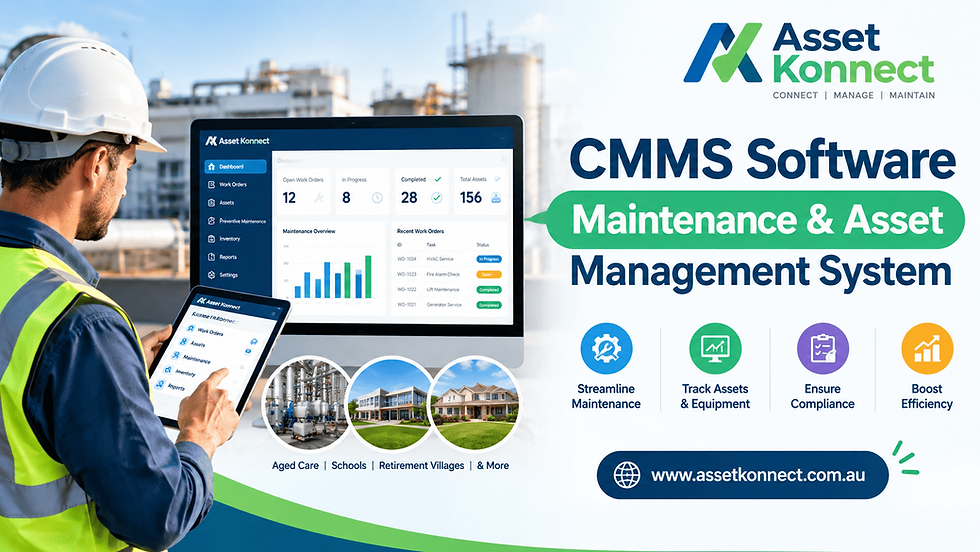
For schools looking to improve asset tracking, preventive maintenance and facilities management, a digital platform such as Asset Konnect can make asset information easier to manage and maintain.
What Is an Asset Register for a School Campus?
An asset register is a structured database containing information about the physical assets owned or managed by a school.
Typical school assets include:
Computers, laptops and tablets
Smartboards and projectors
Desks, chairs and classroom furniture
Laboratory equipment
Library equipment
Sports equipment
HVAC and electrical systems
Fire safety equipment
Security systems and CCTV
Vehicles and grounds equipment
Plumbing and building infrastructure
A well-maintained register gives school administrators and facilities teams a reliable overview of their asset portfolio.
How to Build an Asset Register for a School Campus
1. Identify All School Assets
Start with a physical audit of the campus. Visit classrooms, laboratories, offices, libraries, workshops, sports areas and other facilities.
Record each significant asset and avoid relying solely on old spreadsheets or purchase records. A physical verification helps identify missing, relocated, damaged or unrecorded assets.
2. Create Unique Asset IDs
Give each asset a unique identification number. For example:
SCH-LAB-001 — Laboratory equipment SCH-ICT-025 — IT equipment SCH-HVAC-014 — HVAC asset
Asset IDs make it easier to locate equipment and connect maintenance activities with the correct asset.
3. Record Essential Asset Information
A useful school asset register can include:
Field | Example |
Asset ID | SCH-ICT-025 |
Asset Name | Interactive Display |
Category | IT Equipment |
Location | Building A, Room 12 |
Manufacturer | Example Brand |
Model | ABC-123 |
Serial Number | SN123456 |
Purchase Date | 15/07/2025 |
Purchase Cost | $2,500 |
Warranty Expiry | 15/07/2028 |
Condition | Good |
Responsible Department | IT |
Maintenance Status | Active |
Additional fields can be added according to the school's operational and reporting requirements.
4. Document Asset Location
Location tracking is particularly important on large school campuses. Instead of recording only the building, consider using detailed locations such as:
Campus → Building → Floor → Room → Asset
This makes it easier for maintenance teams and contractors to find equipment when inspections, repairs or preventive maintenance are required.
5. Track Asset Condition and Lifecycle
An asset register should not simply show what a school owns. It should also help teams understand the current condition and lifecycle stage of each asset.
Useful classifications include:
New
Good
Requires inspection
Under maintenance
Damaged
End of life
Retired
Lifecycle information can help schools plan replacements and avoid unexpected equipment failures.
Free Asset Register for a School Campus Template
Schools can start with a spreadsheet containing the following columns:
Asset ID | Asset Name | Category | Location | Serial Number | Purchase Date | Cost | Warranty | Condition | Maintenance Frequency | Last Service | Next Service | Responsible Person | Status
For small schools, this may provide a starting point. However, as the number of assets, buildings and maintenance activities increases, spreadsheets can become difficult to keep updated.
This is where dedicated school asset management software can provide a more scalable approach.
Why Move Beyond a Spreadsheet?
A spreadsheet-based asset register can be useful during the initial inventory process, but it may become challenging when multiple staff members need to update information.
A digital asset management system can connect asset records with maintenance schedules, work orders, inspections and service history.
With Asset Konnect, schools can move toward a centralized approach to asset tracking and maintenance management, helping facilities teams maintain better visibility across campus assets.
Instead of maintaining separate files for equipment information, maintenance records and service activities, teams can use a connected system for managing asset-related information.
Asset Konnect for School Asset Management
Asset Konnect is designed to help organizations manage assets and maintenance through a centralized digital platform.
For a school environment, an asset management platform can support activities such as:
Centralized asset records
Asset location tracking
Preventive maintenance scheduling
Maintenance history
Work order management
Asset lifecycle tracking
Inspection management
Contractor coordination
Maintenance reporting
Facility and infrastructure management
This approach can help schools transition from reactive maintenance toward a more structured preventive maintenance strategy.
Best Practices for Maintaining a School Asset Register
Creating the register is only the first step. Schools should establish a process for keeping information accurate.
Perform regular asset audits: Physically verify assets periodically.
Update locations: Record asset movements between classrooms, buildings and departments.
Track maintenance: Link repairs, inspections and servicing to individual assets.
Monitor warranties: Record warranty expiry dates so eligible repairs are not missed.
Standardize asset categories: Use consistent naming conventions across the campus.
Record disposals: Retired or disposed assets should be clearly marked rather than simply deleted.
Use digital workflows: Where possible, connect asset records with maintenance requests and work orders.
Frequently Asked Questions
What should a school asset register include?
A school asset register should generally include the asset ID, name, category, location, serial number, purchase information, condition, warranty details and maintenance information.
Can I create a school asset register in Excel?
Yes. Excel can be a practical starting point for smaller inventories. Schools with larger campuses or frequent maintenance activity may benefit from dedicated asset management software.
How often should a school update its asset register?
Asset records should be updated whenever assets are purchased, relocated, repaired, replaced or retired. Schools can also perform periodic physical audits to verify the accuracy of their records.
What is the difference between an asset register and an inventory list?
An inventory list primarily identifies items a school has. An asset register can provide broader lifecycle information, including location, ownership, condition, financial details, warranty and maintenance history.
How can Asset Konnect help schools?
Asset Konnect can provide a centralized approach to asset tracking and maintenance management, helping teams organize asset information, maintenance activities, inspections and lifecycle data in one system.
Final Thoughts
A well-structured Asset Register for a School Campus gives administrators and facilities teams a clearer view of their physical assets. Starting with a simple template can help schools establish consistent asset records, while a dedicated platform can provide greater scalability as the campus grows.
By combining asset tracking, preventive maintenance, work order management and lifecycle visibility, Asset Konnect can support schools looking to modernize their approach to facilities and maintenance management.
Comments